New Media Unlocked!
You can now publish on USA TODAY through MarketersMEDIA. That's 142M+ monthly visitors and DR 92 backlinks for every release you publish.
Better reach, better SEO, better credibility.

You can now publish on USA TODAY through MarketersMEDIA. That's 142M+ monthly visitors and DR 92 backlinks for every release you publish.
Better reach, better SEO, better credibility.
Table of Content


Virtual events are no longer a backup plan. They are a standard part of how organizations communicate, train, sell, and connect.
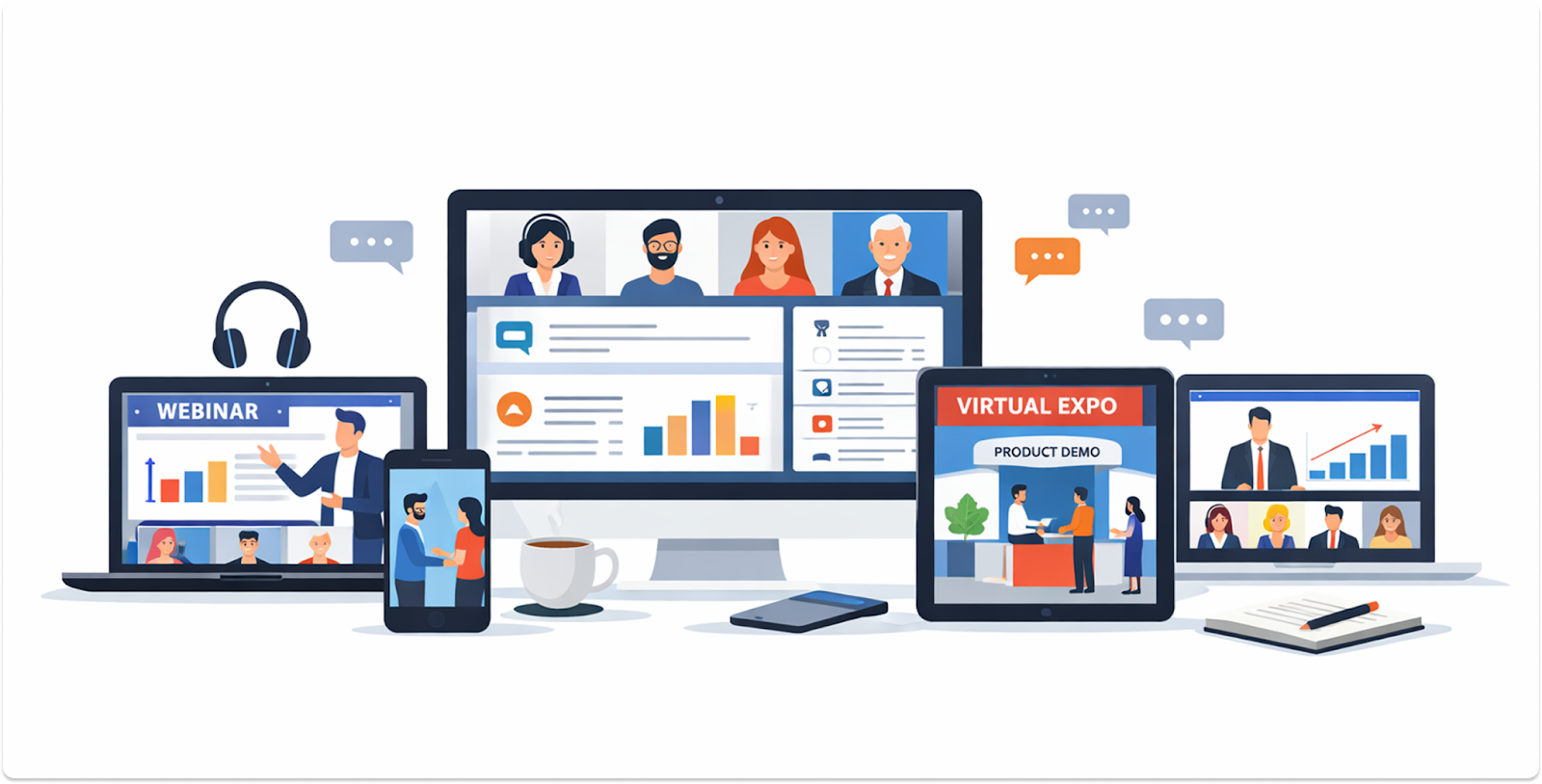
The global virtual and hybrid event market was valued at approximately $11.82 billion in 2025, and it is projected to grow at a compound annual growth rate of 8.12% through 2033.
Organizations are not using virtual events because they have to. They use them because they work.
Virtual events are structured experiences that happen entirely online.
Attendees join through a digital platform from wherever they are, using a laptop, phone, or tablet. There is no venue to book, no travel required, and no physical limit on who can attend.
Organizers use virtual events for a wide range of purposes.
Sales teams host product demos. HR teams run company-wide town halls. Marketing teams run lead generation webinars. Training departments deliver certifications.
The format changes depending on what you need to achieve.
The key difference between a virtual event and a regular video call is intentional structure. Virtual events have a designed agenda, defined roles for speakers and attendees, interactive tools, and measurable outcomes.
The appeal comes down to reach, cost, and data.
Virtual events typically reduce overhead costs by 50 to 75% compared to in-person gatherings. That means no venue rental, no catering, no travel reimbursement, and no printed materials.
Beyond cost, virtual events give organizers something in-person events simply cannot: complete data on attendee behavior.
You can see who attended which session, how long they stayed, what they clicked, and whether they downloaded a resource. That data feeds directly into your follow-up strategy.
Nearly 80% of organizations now include virtual components in their major events. This is not a trend. It is a permanent shift in how professional gatherings work.
Before getting into specific formats, it helps to understand what separates virtual events from other types of online content.
Virtual events are built for screens, not adapted from in-person formats.
That means shorter sessions, more frequent interaction points, and content paced for digital attention spans.
Anyone with an internet connection can attend. Geography is no longer a barrier.
Most platforms include live polls, Q&A features, chat, and hand-raise functions.
These tools keep audiences from passively watching and help organizers gauge real-time engagement.
Unlike a conference room, every virtual event generates trackable data.
Session attendance, click rates, poll responses, and replay views all feed into post-event reporting.
Sessions can be recorded and made available after the event.
Replay views average around 17%, meaning a meaningful portion of your audience will engage with the content after the live date.
No flights, no printed agendas, no physical waste. Virtual events are significantly more sustainable than their in-person equivalents.
Webinars are the most common type of virtual event. They are focused, single-topic sessions that typically run between 30 and 80 minutes, led by one speaker or a small panel.
Most organizations use webinars for lead generation, product demonstrations, and training.
They are cost-effective and easy to produce. Webinars typically cost between $3,000 and $5,000 to run and carry an average conversion rate of 61.7%. That is a strong return for a relatively low investment.
Around 90% of organizations are maintaining or increasing their webinar volume year over year. If you are only running one type of virtual event right now, a webinar is the most practical place to start.
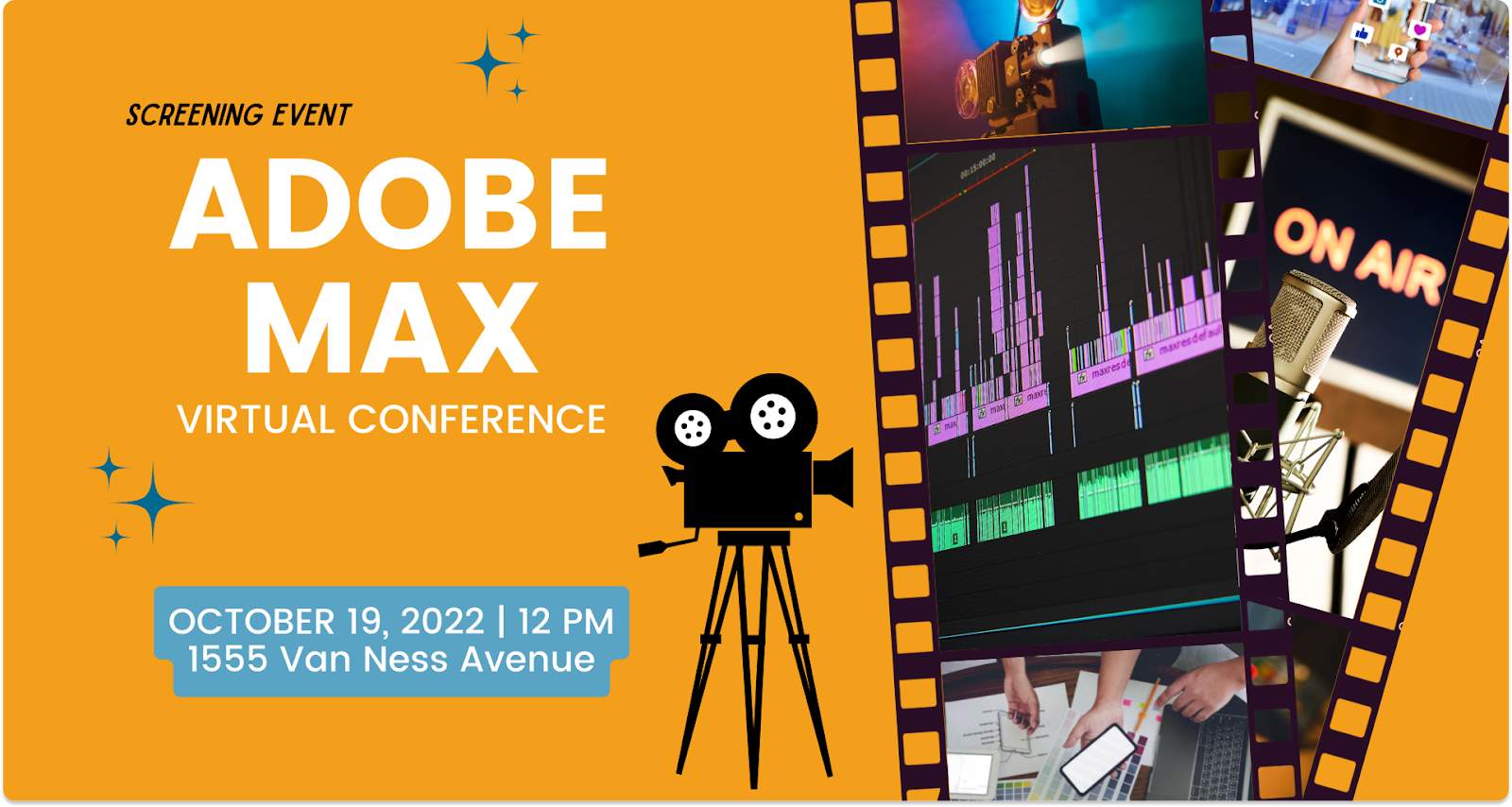
Virtual conferences are multi-session events that mirror the structure of large in-person gatherings.
They feature keynote presentations, breakout sessions, and networking tracks, and can run across one or several days.
These are significantly more complex and expensive to produce.
Virtual conferences can range from $25,000 to over $150,000 depending on scale and production requirements.
The investment is justified when your goal is to build community, establish thought leadership, or recreate the experience of a flagship industry event.
Examples include virtual editions of conferences like Adobe MAX and Dreamforce, which shifted to fully digital formats and reached global audiences at scale.
Virtual trade shows replicate the exhibition hall experience online.
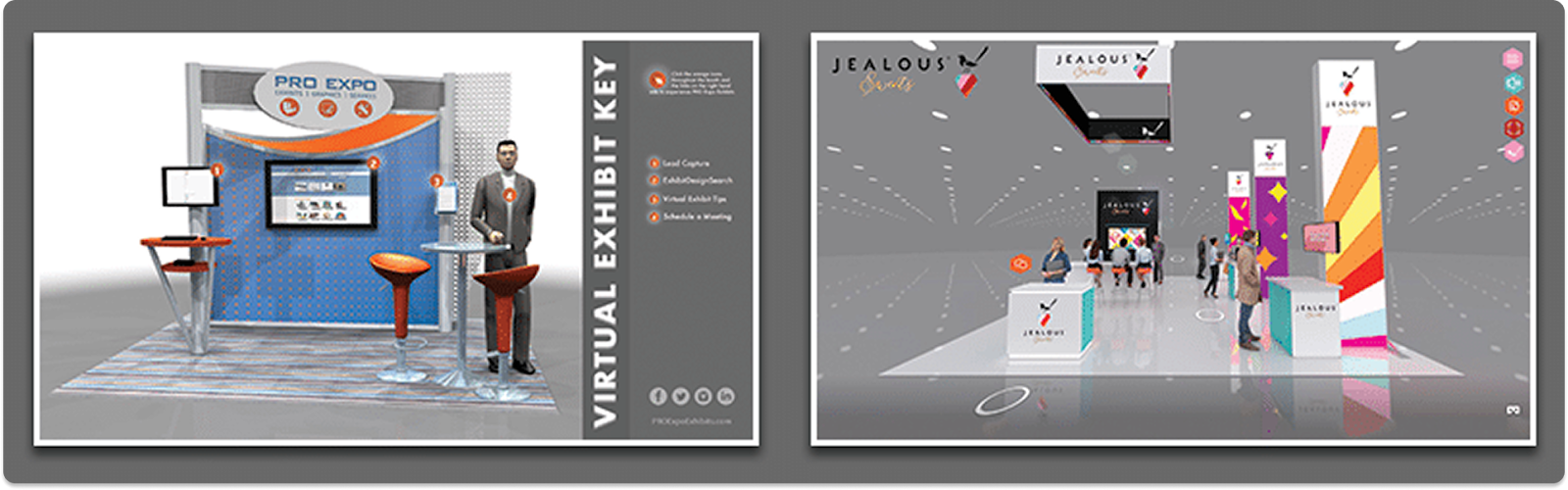
Attendees browse digital booths, watch product demonstrations, download materials, and connect with exhibitors through live chat or video calls.
These events work well for industries where relationship-building and product education happen side by side.
The best virtual trade show platforms include animated lobbies, branded virtual booths, and lead capture tools built directly into the exhibitor experience.
Virtual networking events put connection at the center of the agenda. There is no keynote. The entire experience is built around attendees meeting each other.
Organizers typically use AI-based matchmaking tools to pair attendees by shared interests or professional backgrounds.
Platforms such as Brella, Grip, and Swapcard analyze attendee profiles and event activity to recommend relevant networking connections.
Breakout rooms are kept small, usually between 6 and 8 people, so everyone has a chance to speak. Some formats incorporate speed networking rounds or gamified icebreakers to make the experience feel less forced.
Virtual workshops are interactive learning sessions.
They go beyond passive listening and include:
Companies use these for employee onboarding, professional development, and certification programs.
Academic institutions use them for research seminars and skills training. The key difference from a webinar is that attendees are expected to actively participate, not just watch.
Example of virtual research seminar:

A virtual product launch is a high-production event designed to introduce a new product to the market.
It typically includes a live presentation, product demo, Q&A session, and a clear call to action.
The goal is impact.
These events need high-quality streaming, a compelling presenter, and a well-designed run-of-show. A poorly produced launch can undercut the product itself. When done well, they reach global audiences at the moment of maximum attention.
Online fundraising events have become a serious channel for nonprofits.
Virtual galas, charity auctions, and donation drives can reach far more potential donors than a physical venue allows.
The format often includes storytelling, live donation tracking using a digital thermometer, and a hosted program similar to a traditional gala.
By removing venue costs, these events can direct more of the proceeds toward the cause itself.
Virtual career fairs connect employers and job candidates through digital booths and video interview rooms.
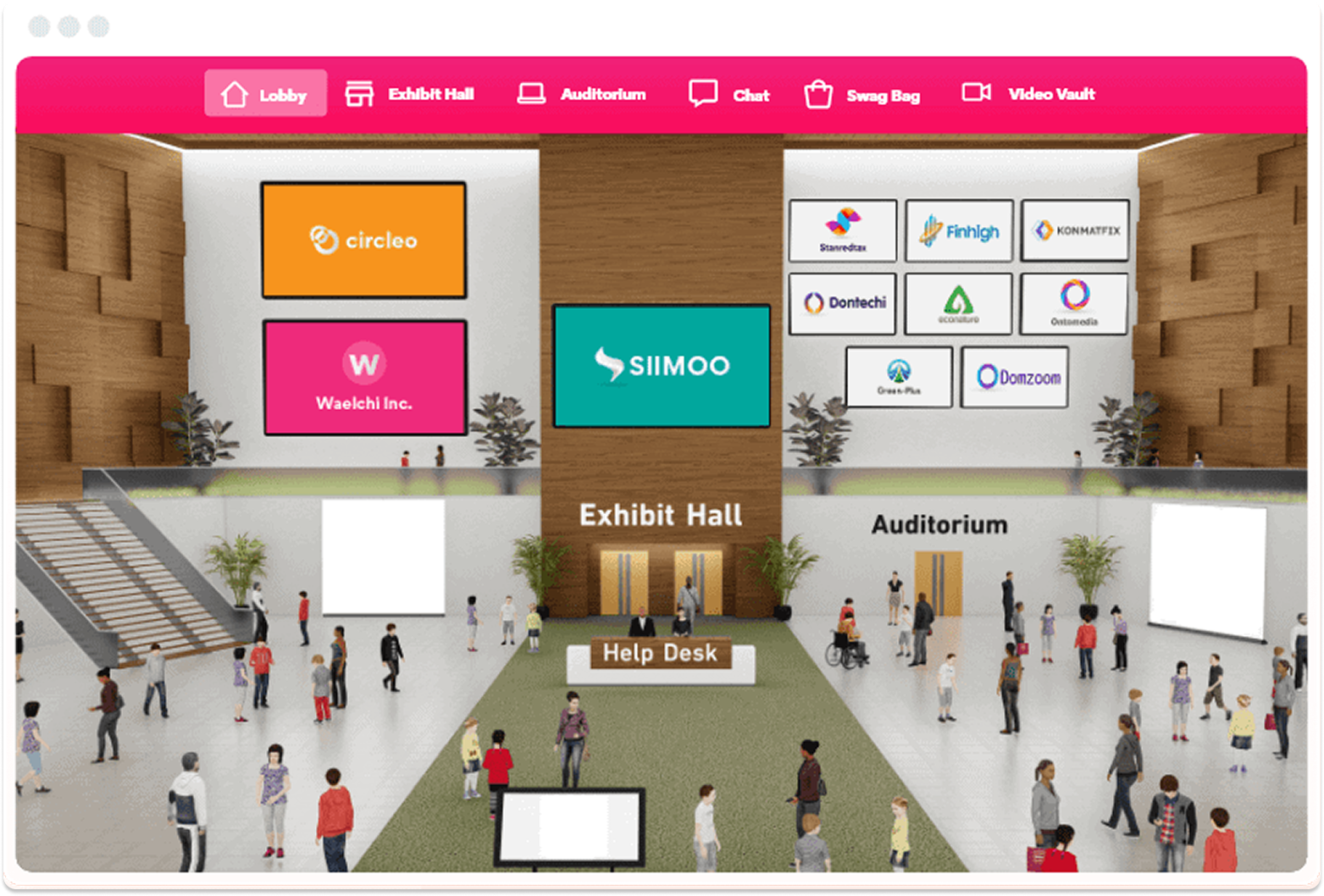
Candidates browse company profiles, join live chat sessions, and schedule video interviews in real time.
For large organizations recruiting at scale, virtual career fairs significantly reduce the cost and logistics of campus recruiting.
For candidates, they remove geographic barriers that would otherwise limit their options.
Virtual town halls are internal company meetings. Leadership communicates updates, shares strategy, and opens the floor for employee questions.
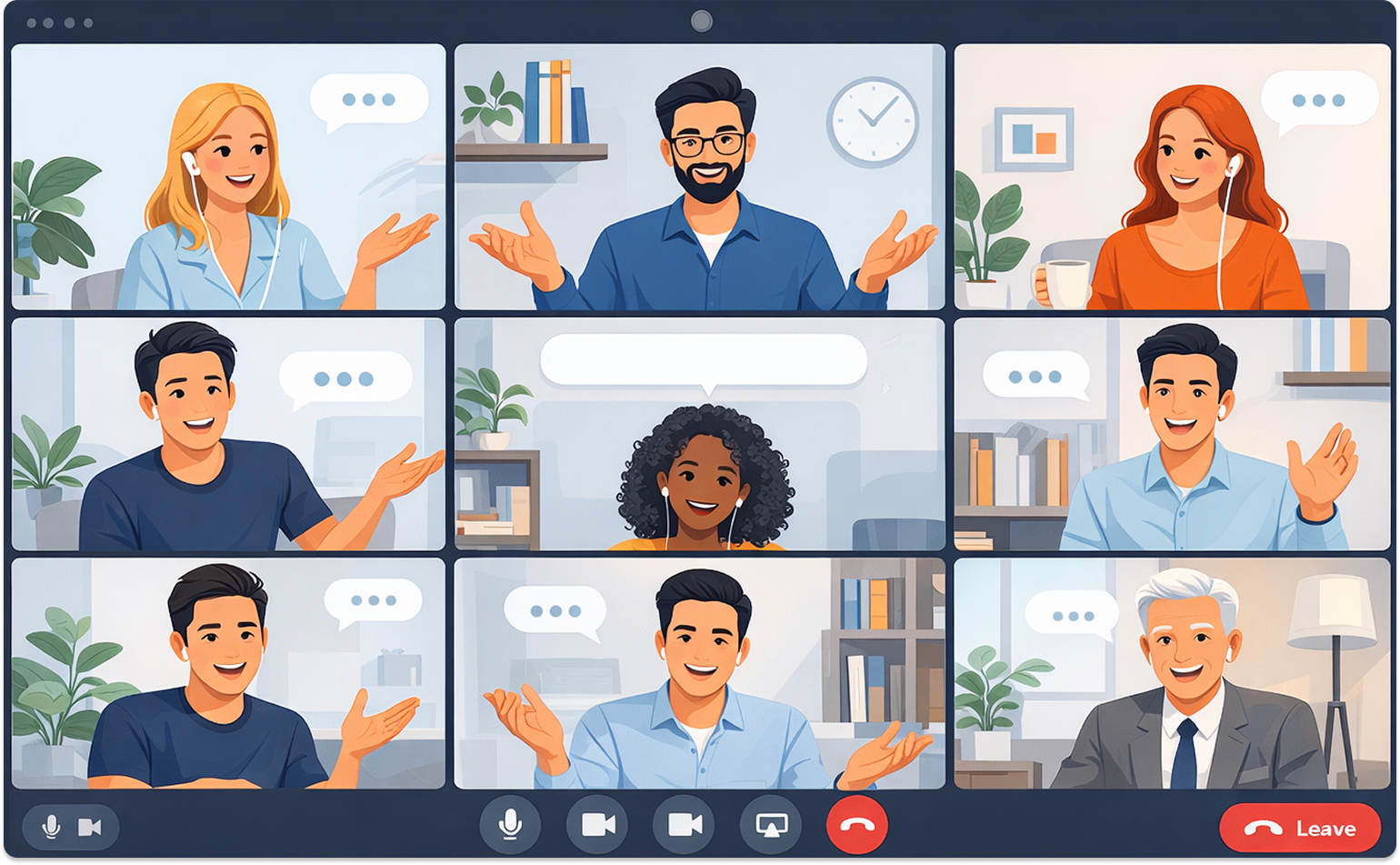
These events require specific platform controls that other virtual formats do not.
Investor calls and regulatory meetings, for example, need limited community chat features and strict access permissions to meet legal requirements.
Town halls for general staff are more open but still benefit from structured Q&A moderation.
Getting the format right is only part of the equation. Execution depends on the right infrastructure.
Every event type has different platform requirements.
A webinar needs good streaming and a clean registration flow. A virtual trade show needs branded virtual booths and lead capture.
A networking event needs smart matchmaking and breakout room functionality. Choosing the wrong platform for your format creates friction from the moment attendees arrive.
The biggest competitor at any virtual event is the attendee’s own inbox.
Sessions should be capped at 45 minutes, and there should be an engagement touchpoint, a poll, a question, or an activity, every 5 to 10 minutes.
The most common complaint about virtual events is the lack of spontaneous connection.
Good organizers solve this with AI matchmaking, small breakout rooms, and structured conversation formats that give people a reason to talk.
Poor audio and grainy video cause people to leave.
Stable internet, a quality microphone, and decent lighting are baseline requirements. For higher-stakes events, professional studio setups are worth the investment.
These are the basics that consistently separate well-run events from poorly run ones.
Successful virtual events rarely come together at the last minute.
Organizers need time to confirm speakers, test the event platform, design the agenda, and prepare promotional campaigns.
Registration pages, email sequences, and social promotion should all be ready well before the event date. Starting early also leaves room to solve unexpected technical or scheduling issues.
A full technical rehearsal reduces the risk of problems during the live event.
Schedule a run-through with every speaker so they can test their camera, microphone, internet connection, and screen-sharing setup.
Walk through transitions between speakers, presentation slides, and audience interaction features like polls or Q&A.
Even small technical issues become noticeable during a live broadcast, so rehearsals help smooth the experience.
Email remains the most reliable channel for driving virtual event registrations.
Instead of sending a single announcement, build a sequence of messages leading up to the event.
For example, send an early announcement, a reminder one week before, a final reminder the day before, and a “starting soon” email on the event day.
Each message should highlight a different reason to attend, such as speaker expertise, exclusive insights, or limited seating.
Many attendees will join from phones or tablets, especially if the event takes place during work hours.
Slides should use large fonts and simple visuals so they remain readable on smaller screens. Avoid dense text or complex charts that are difficult to view on mobile devices.
Testing the event interface on multiple devices helps ensure the experience remains smooth regardless of screen size.
Virtual audiences disengage quickly if they are only watching passively. Instead of saving engagement tools for the end, integrate interaction throughout the session.
Polls, live chat prompts, Q&A moments, and short audience questions can keep participants involved.
Frequent interaction helps maintain attention and makes the event feel more like a conversation rather than a broadcast.
Not every registered attendee will be able to join live, especially if your audience spans multiple time zones.
Sending a recording shortly after the event allows those participants to catch up. Many organizers find that replay views add a meaningful amount of additional engagement.
Speaking online requires a slightly different approach than presenting on a physical stage.
Encourage speakers to maintain eye contact with the camera, speak clearly, and keep their pacing steady.
Lighting and audio quality also matter more in a virtual setting.
A short speaker briefing helps presenters feel comfortable with the platform and prevents awkward pauses during the live session.
Technical issues can still happen even with preparation. A reliable backup plan ensures the event continues smoothly if something goes wrong.
For example, have a secondary host ready to step in, keep backup copies of presentation slides, and prepare an alternate communication channel if the main platform fails.
Planning these contingencies in advance allows organizers to react quickly without disrupting the audience experience.
The period immediately after the event is one of the most valuable moments for engagement.
Send a follow-up email within 24 hours that includes the recording, presentation slides, and any additional resources mentioned during the session.
This message can also thank attendees for participating and invite them to continue the conversation.
For events focused on lead generation or partnerships, this follow-up stage is also where qualified leads should enter the next step of the workflow.
Sales teams or marketing teams can reach out to high-intent participants, while other attendees can receive additional content related to the event topic.
Quick follow-up keeps the momentum going and ensures the event continues delivering value even after the live session ends.
Virtual events need shorter agendas, more interaction, and a different content rhythm. Copying a full-day conference format directly into a virtual setting leads to audience drop-off.
If your audience is global, a single time slot will exclude large portions of it. Offer multiple sessions or make on-demand access the primary experience.
Attendees who cannot join, cannot hear, or encounter persistent technical issues will leave. Have a support team available throughout the event.
Closed captioning, screen reader compatibility, and keyboard navigation are not optional extras. A significant share of your audience depends on them.
More sessions do not mean more value. Tighter agendas with fewer, stronger sessions perform better.
Logo placement is not enough for a sponsor to see value.
Build interactive sponsor booths, branded session segments, and direct lead capture into the event design.
Technical issues that surface during a live session almost always could have been caught in a rehearsal.
Running a great virtual event and getting the word out are two separate challenges.
The event itself builds credibility. What you do before and after determines how far that credibility reaches.
At MarketersMEDIA Newswire, we work with brands that use press releases to announce product launches, conference appearances, and major virtual events before they happen, and then follow up with coverage recaps after.
A well-distributed press release puts your event in front of journalists, industry publications, and search engines that your email list alone cannot reach.
If you are organizing a virtual event that deserves coverage, distributing a press release to relevant media outlets is one of the most straightforward ways to extend its reach.
Our network includes over 2,000 media endpoints across industries, including major outlets with real editorial audiences. Get in touch with us today!
A: A webinar is one type of virtual event. The term “virtual event” is broader and covers everything from trade shows to networking mixers to virtual conferences. Webinars are typically shorter, single-track sessions focused on one topic. Virtual events can be multi-session, multi-day, and involve much more complex logistics and platform requirements.
A: The most practical model ties event costs to pipeline generated. A common formula: [(Pipeline Value x Historical Win Rate) minus Event Costs] divided by Event Costs, multiplied by 100. If an event costs $50,000 and generates $750,000 in qualified pipeline with a 20% close rate, the expected revenue is $150,000 and the ROI is 200%. Beyond pipeline, track lead quality, engagement rates, and post-event survey results.
A: The right platform depends on your event type. Webinars work well on tools like Zoom or Riverside. Large-scale conferences often use platforms like Hopin, Zuddl, or Goldcast. Virtual trade shows benefit from platforms like vFairs that offer 3D expo hall features. Start by listing your must-have features (breakout rooms, CRM integration, custom branding) and match them to platforms before committing.
A: Keep breakout rooms small, ideally 6 to 8 people, so everyone has a reason to speak. Use AI matchmaking to pair attendees based on shared interests or professional backgrounds. Give groups a structured prompt or activity to open with rather than open-ended conversation. Speed networking formats, where pairs rotate every few minutes, also reduce the awkwardness of cold introductions.
A: A minimum of 8 to 12 weeks for most virtual events. Larger conferences with multiple speakers, sponsors, and custom platform builds may need 4 to 6 months. Platform setup, speaker preparation, and promotional campaigns all take longer than expected. Starting late is one of the most common reasons virtual events underperform.


 PR playbook to get your brand cited in AI answer
How to check and fix what AI says about your brand
2 minutes checklist to make your PR AI-friendly
PR playbook to get your brand cited in AI answer
How to check and fix what AI says about your brand
2 minutes checklist to make your PR AI-friendly